NLP Text Processing: How Machines Make Sense of Language
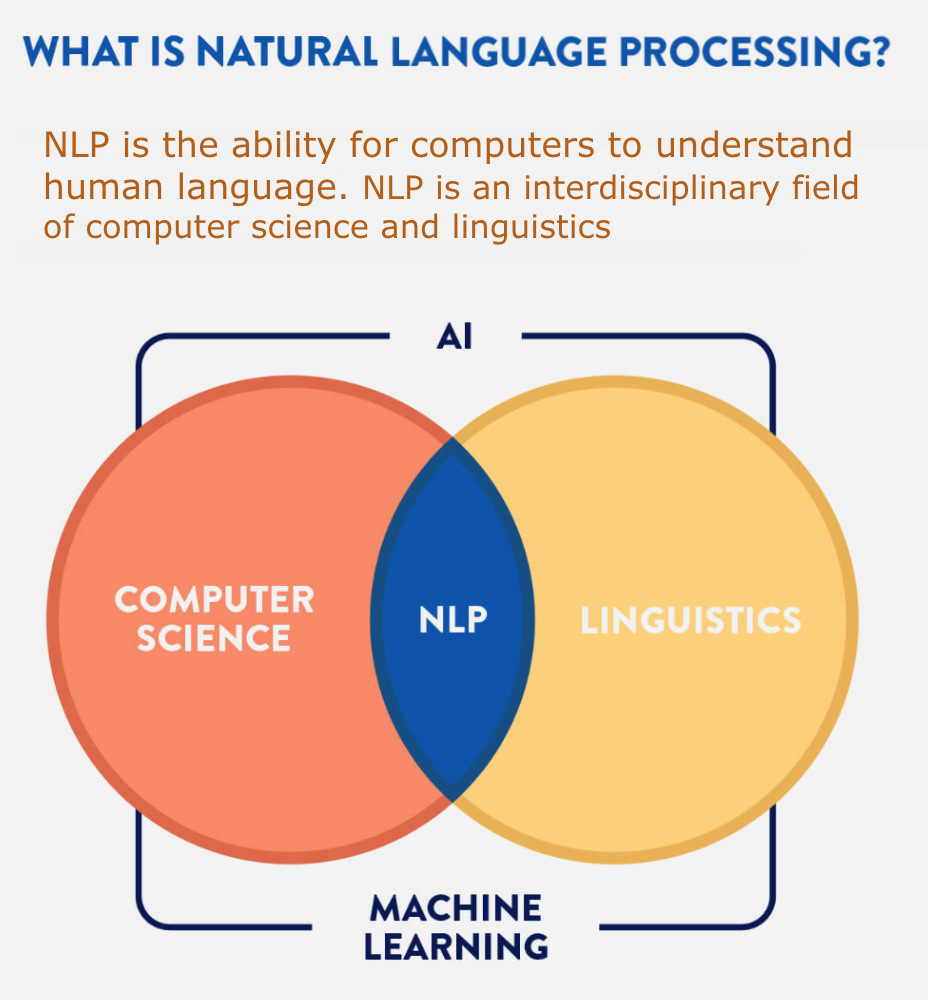
Natural language processing (NLP) helps computers work with human language. It powers tools such as search engines, chatbots, translation systems, and text analysis software. Before these systems can classify a review, answer a question, or summarize a document, they often need to process the text into a form they can use.
NLP text processing is the collection of steps used to prepare and analyze written language. The exact steps depend on the task: preparing customer reviews for sentiment analysis is different from extracting names and dates from legal documents. Understanding the common techniques can help teams choose an approach that fits their data and goals.
What Is NLP Text Processing?
Text processing transforms raw text into a representation that software can analyze. Raw text may contain inconsistent capitalization, spelling variations, punctuation, formatting, abbreviations, or irrelevant content. Processing can clean up these differences, identify meaningful units, and add structure.
Text processing is not always about simplifying language. Some applications need to preserve details such as punctuation, capitalization, or word order. For example, capitalization can help identify a person’s name, while punctuation may affect the meaning of a sentence. The right preprocessing choices depend on what the system needs to accomplish.
Common Steps in an NLP Text-Processing Pipeline
Collecting and inspecting text
Text may come from documents, websites, support conversations, product reviews, forms, or other sources. Before processing it, it is useful to check the data’s language, format, quality, and intended use. This can reveal issues such as duplicate records, missing content, or text that has been incorrectly extracted from files.
Cleaning and normalization
Cleaning removes or corrects unwanted content. Depending on the task, this might include fixing encoding problems, removing duplicate text, standardizing whitespace, or handling HTML markup. Normalization makes certain forms of text more consistent. For example, a system might convert text to lowercase or standardize variations in spelling.
These choices should be made carefully. Removing punctuation may be useful for some tasks, but it could harm a system that relies on sentence boundaries or recognizes emoticons. Converting everything to lowercase can simplify comparisons but may remove clues about names and acronyms.
Tokenization
Tokenization divides text into smaller units called tokens. Tokens may be words, parts of words, characters, or punctuation marks. For example, a sentence can be split into individual words and punctuation, while some modern language models divide words into smaller subword pieces.
Tokenization is more complicated than splitting text at spaces. Languages differ in how they mark word boundaries, and written text may include contractions, hyphenated terms, emojis, or web addresses. A tokenizer should be appropriate for the language and task.
Sentence segmentation
Sentence segmentation identifies where one sentence ends and another begins. This helps applications analyze text in context, generate summaries, or locate answers. Periods do not always mark sentence endings: they also appear in abbreviations, decimal numbers, and website addresses. Accurate segmentation may therefore require language-aware rules or models.
Stop-word handling
Stop words are common words—such as “the,” “and,” or “of”—that some systems treat as less informative. Removing them can reduce the size of a text representation for certain tasks, such as basic keyword analysis. However, these words can matter a great deal in other contexts. In sentiment analysis, for instance, removing “not” could reverse the meaning of a sentence.
Stemming and lemmatization
Stemming reduces words to shortened forms, often by removing endings. Lemmatization aims to find a word’s dictionary form while taking its grammatical role into account. For example, related forms such as “connects,” “connected,” and “connecting” may be mapped to a common base form.
These methods can help group related words, but they are not necessary for every NLP system. Some modern models work directly with word forms or subword tokens and may perform better without traditional stemming or lemmatization.
Representing text for analysis
Computers need numerical representations to perform many language tasks. Traditional methods include word counts and term frequency–inverse document frequency (TF-IDF), which estimate how important words are within a document and a collection of documents. These methods can work well for tasks such as document search or classification.
Embedding methods represent words, sentences, or documents as numerical vectors. These representations can capture relationships between terms and provide useful context for tasks such as semantic search, text similarity, and question answering. The best representation depends on the data, the task, and the resources available.
Traditional Methods and Modern Language Models
Traditional NLP pipelines often rely on carefully designed rules, dictionaries, and statistical methods. They can be efficient, interpretable, and effective for well-defined tasks. A system that extracts dates in a known format, for example, may not require a large language model.
Modern language models can handle context and variation more flexibly. They are often used for tasks such as summarization, translation, and conversational assistance. Even so, they still depend on well-prepared input and careful evaluation. No model understands every domain, language variety, or specialized term equally well.
In practice, many applications combine approaches. A system might use rules to remove document headers, a language model to identify key information, and a validation step to check the output’s format.
Challenges in Text Processing
- Ambiguity: The meaning of a word or sentence can change with context.
- Language variation: Slang, regional expressions, spelling differences, and informal grammar can complicate analysis.
- Multilingual content: A dataset may contain several languages or switch between them in the same conversation.
- Noisy text: Typos, abbreviations, speech-to-text errors, and formatting artifacts can affect results.
- Domain-specific vocabulary: Medical, legal, technical, and industry terms may not be handled well by general-purpose tools.
- Privacy and bias: Text may contain sensitive information, and processing systems can reflect biases in their data or design.
Best Practices for NLP Text Processing
- Start with the task. Decide what the system needs to do before choosing preprocessing steps.
- Preserve useful information. Do not remove punctuation, capitalization, or common words unless there is a clear reason.
- Use language- and domain-appropriate tools. A tokenizer or model suited to one language may perform poorly on another.
- Evaluate each step. Compare results with and without a processing choice to see whether it actually helps.
- Protect sensitive data. Limit access to personal information and follow applicable privacy requirements.
- Monitor performance over time. Language, user behavior, and data sources can change, so systems may need regular review.
Where NLP Text Processing Is Used
Text processing supports a wide range of applications. Businesses use it to categorize support requests, analyze customer feedback, and search large document collections. Researchers use it to organize articles and study language. Public agencies and nonprofits may use it to make information easier to search or analyze community feedback. Consumer tools rely on it for features such as autocomplete, spam filtering, translation, and voice-assistant responses.
Conclusion
NLP text processing turns written language into data that software can work with. Its techniques range from basic cleanup and tokenization to sophisticated representations that capture context. There is no single pipeline that works best for every task. Effective systems use only the processing they need, preserve meaningful details, and are tested on the kinds of text they will encounter in real use.
9 Essential Tips for Effective NLP Text Processing
- Normalize text consistently.
- Handle Unicode and encoding carefully.
- Tokenize based on your language and task.
- Preserve punctuation when it carries meaning.
- Remove stop words only when appropriate.
- Use lemmatization or stemming thoughtfully.
- Keep negation words during preprocessing.
- Split data before fitting text transformations.
- Evaluate preprocessing on real examples.
Normalize text consistently.
Normalize text consistently so the same words and patterns are treated alike across your dataset. Depending on the task, this may mean standardizing capitalization, whitespace, spelling variations, or Unicode characters. Apply the same rules to training and incoming text, and avoid removing details—such as punctuation or capitalization—that may carry meaning. A consistent, task-appropriate approach can reduce noise and make NLP results more reliable.
Handle Unicode and encoding carefully.
Handle Unicode and text encoding carefully to prevent characters from being lost, corrupted, or misinterpreted during NLP processing. Use a consistent encoding, such as UTF-8, and normalize Unicode when appropriate so equivalent characters—like accented letters represented in different ways—are treated consistently. Be cautious about stripping or replacing symbols, emojis, and language-specific characters, since they may carry important meaning. Validate text after reading, converting, or saving it, especially when combining data from different sources.
Tokenize based on your language and task.
Tokenize text according to both its language and the task you need to perform. Splitting on spaces may work for some English text, but it can mishandle languages without spaces between words, contractions, hashtags, emojis, or specialized terms. Choose a tokenizer designed for your language and use case—whether you need whole words, subwords, or characters—and test it on representative examples to make sure important meaning and context are preserved.
Preserve punctuation when it carries meaning.
In NLP text processing, punctuation can carry important meaning, so avoid removing it automatically. A question mark can distinguish a question from a statement, an exclamation point can signal emphasis, and a comma may change how a sentence is interpreted. Punctuation also helps identify sentence boundaries and can be essential in tasks such as sentiment analysis, translation, and information extraction. Preserve it when it contributes useful context, and remove or normalize it only when the specific task calls for doing so.
Remove stop words only when appropriate.
Remove stop words only when they are irrelevant to the task. Common words such as “the,” “and,” or “not” may seem unimportant, but they can affect meaning, sentiment, and relationships between words. For example, removing “not” from “not recommended” could reverse the sentence’s meaning. Before filtering stop words, consider how the text will be used and test whether removing them improves results.
Use lemmatization or stemming thoughtfully.
Use lemmatization or stemming thoughtfully, because reducing words to a common root can help group related terms, but it can also remove useful meaning. Stemming applies simple rules that may produce shortened or incomplete word forms, while lemmatization uses context and grammar to identify a word’s dictionary form. Choose the method based on your task, language, and data, and test whether it improves results before applying it across your text.
Keep negation words during preprocessing.
Keep negation words such as “not,” “never,” and “without” during text preprocessing because they can reverse the meaning of a sentence. For example, “the product is reliable” expresses a very different opinion from “the product is not reliable.” If a preprocessing step removes negation words as stop words, sentiment analysis and other NLP tasks may produce misleading results. Ensure stop-word lists and text-cleaning rules preserve these important terms.
Split data before fitting text transformations.
Split your data into training, validation, and test sets before fitting text transformations such as a vocabulary, TF-IDF vectorizer, or feature selector. Fit each transformation using only the training data, then apply that same fitted transformation to the other sets. This prevents information from the evaluation data from leaking into training, which can make model performance appear better than it really is.
Evaluate preprocessing on real examples.
Evaluate preprocessing on real examples from the data your system will actually encounter. Test how choices such as removing punctuation, lowercasing text, or filtering stop words affect representative cases, including messy inputs and edge cases. Compare results against a clear baseline using metrics tied to your task, and review errors to make sure preprocessing improves performance without removing important meaning.