Natural Language Speech Recognition: How Computers Understand Spoken Language
Natural language speech recognition lets computers turn spoken words into text and, in many systems, interpret what a speaker means. It powers voice assistants, dictation tools, automated call systems, live captions, and hands-free controls. Although these tools can feel simple to use, they combine several complex technologies to process speech and respond in useful ways.
What Is Natural Language Speech Recognition?
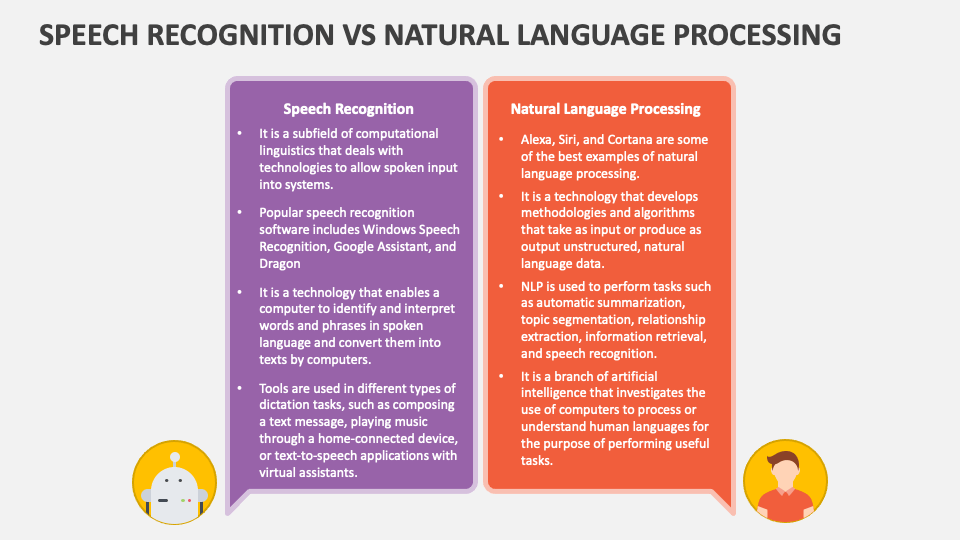
Speech recognition is the process of identifying the words spoken aloud and converting them into text or commands. Natural language processing (NLP) helps a system analyze that text, including its context, intent, and sometimes emotional tone. Together, these technologies allow people to interact with computers using everyday speech rather than carefully phrased commands.
For example, a basic voice system might recognize the words “weather tomorrow.” A more capable system can understand “Will I need an umbrella tomorrow?” and identify that the speaker is asking for a weather forecast.
How the Technology Works
A speech recognition system typically processes a request through several stages:
- Audio capture: A microphone records the speaker’s voice, often along with background sounds.
- Signal processing: The system prepares the audio by reducing noise and identifying useful speech signals.
- Speech-to-text conversion: An acoustic model analyzes sound patterns, while a language model helps determine which words are most likely in context.
- Language understanding: NLP techniques identify the speaker’s intent, key details, and relationships between words.
- Response or action: The system may display a transcript, answer a question, complete a task, or pass the request to another application.
Modern systems often use deep learning and large datasets containing speech and text. These models can learn patterns in pronunciation and language, though their performance depends on the quality and variety of the data used to train them.
Common Applications
- Voice assistants: Answer questions, set reminders, and control connected devices.
- Dictation and transcription: Turn spoken notes, meetings, or interviews into text.
- Accessibility: Provide captions and support people who have difficulty typing or using traditional interfaces.
- Customer service: Route calls, answer common questions, or help customers complete routine tasks.
- Automotive systems: Let drivers request directions or adjust settings without taking their hands off the wheel.
- Language learning and translation: Support pronunciation practice, spoken translation, and conversation tools.
Benefits
Speaking can be faster than typing, especially when someone is on the move or needs to capture a long passage of text. Voice interfaces can also make digital services easier to access for people with visual, motor, or reading-related disabilities. For organizations, speech recognition can help process large volumes of calls and conversations, making it easier to find recurring questions or produce searchable records.
Challenges and Limitations
Speech is highly variable. People speak with different accents, dialects, speaking speeds, and vocal characteristics. Background noise, overlapping voices, specialized vocabulary, and unclear pronunciation can also lead to errors. A system may mishear a word, and a language model may select a plausible but incorrect interpretation.
Context creates another challenge. The same phrase can have different meanings depending on the conversation. Sarcasm, idioms, and incomplete sentences can be difficult for software to interpret reliably. For this reason, important transcripts or decisions based on voice input may need human review.
Privacy and Responsible Use
Voice data can contain sensitive information, including personal details and characteristics of a speaker’s voice. Before using a speech recognition service, it is helpful to understand whether audio is stored, how it is protected, and whether it may be used to improve the service. Organizations should apply appropriate access controls, retention limits, and consent practices.
Speech systems should also be tested with speakers from varied backgrounds. Evaluating performance across accents, languages, and speaking styles can help reveal uneven error rates and reduce the risk of excluding certain users.
The Future of Speech Recognition
Speech recognition is becoming more capable of handling conversations, multiple languages, and real-time interactions. Advances in on-device processing may allow some systems to work with less reliance on cloud services, while improvements in language models can help tools respond more naturally to context. Even so, accuracy, privacy, transparency, and accessibility will remain important measures of progress.
Conclusion
Natural language speech recognition brings spoken communication into digital tools, making technology more convenient and accessible. Its combination of audio analysis and language understanding continues to improve, but it is not perfect. Knowing how the technology works—and where it can fail—helps people use voice-enabled systems more effectively and responsibly.
9 Tips for Clear, Accurate, and Secure Speech Recognition
- Speak clearly at a natural pace.
- Use a quiet environment when possible.
- Position the microphone consistently.
- Choose the correct language and accent settings.
- Use punctuation commands if supported.
- Review names and technical terms carefully.
- Train the system with your voice when available.
- Pause briefly between distinct ideas.
- Protect sensitive audio and transcripts.
Speak clearly at a natural pace.
Speak clearly at a natural pace to help speech recognition software understand you accurately. There’s no need to exaggerate your pronunciation or speak unnaturally slowly; just enunciate your words, avoid rushing, and pause briefly between complete thoughts. This makes it easier for the system to distinguish words and interpret your meaning, especially in longer requests.
Use a quiet environment when possible.
For the most accurate natural language speech recognition, use a quiet environment whenever possible. Background noise, nearby conversations, and echoes can make it harder for the system to distinguish your words, leading to transcription errors or misunderstood commands. If you can’t find a quiet space, speak clearly, keep the microphone close, and reduce other sources of noise.
Position the microphone consistently.
Position the microphone consistently to help speech recognition deliver more accurate results. Keep it at a steady distance and angle from your mouth, and avoid moving or covering it while speaking. Consistent placement gives the system a clearer, more even audio signal, reducing errors caused by changes in volume or sound quality.
Choose the correct language and accent settings.
Choose the correct language and accent settings before using speech recognition. Selecting the language—and, when available, the accent or regional variety you speak—helps the system recognize pronunciation, vocabulary, and speech patterns more accurately. This can reduce transcription errors, especially when using regional expressions or specialized terms. If recognition still seems inaccurate, check the settings and try speaking clearly in a quiet environment.
Use punctuation commands if supported.
If your speech recognition tool supports punctuation commands, say them aloud to make your transcript clearer and reduce editing later. For example, say “comma,” “period,” “question mark,” or “new paragraph” where you want those marks to appear. Commands vary by app, so check its help guide and practice the phrases it recognizes.
Review names and technical terms carefully.
Review names and technical terms carefully when using natural language speech recognition, since unfamiliar words, acronyms, and specialized vocabulary are easy for software to mishear or misspell. Check the transcript against the original audio, paying close attention to people’s names, product names, industry terms, and abbreviations. Adding these words to a custom vocabulary, when available, can also improve recognition accuracy.
Train the system with your voice when available.
When available, train the speech recognition system with your voice by reading the suggested phrases or completing its voice setup. This helps the software adapt to your pronunciation, accent, speaking pace, and vocal characteristics, which may improve recognition accuracy. For the best results, speak naturally in a quiet place, and repeat the training if your speaking style or microphone changes.
Pause briefly between distinct ideas.
Pause briefly between distinct ideas to give a speech recognition system time to separate your thoughts and transcribe them more accurately. A short pause between sentences or topics can reduce the chance that words will run together, especially in noisy settings or when you’re speaking quickly. Keep your delivery natural—there’s no need to pause between every word.
Protect sensitive audio and transcripts.
Protect sensitive audio and transcripts by treating them as confidential information. Before using a speech recognition service, check how it stores, processes, and shares recordings and transcripts, and choose privacy settings that fit your needs. Limit access to authorized users, delete files when they are no longer needed, and avoid including personal or confidential details in recordings unless necessary. For especially sensitive material, use a trusted service with strong security protections and clear data-retention policies.