
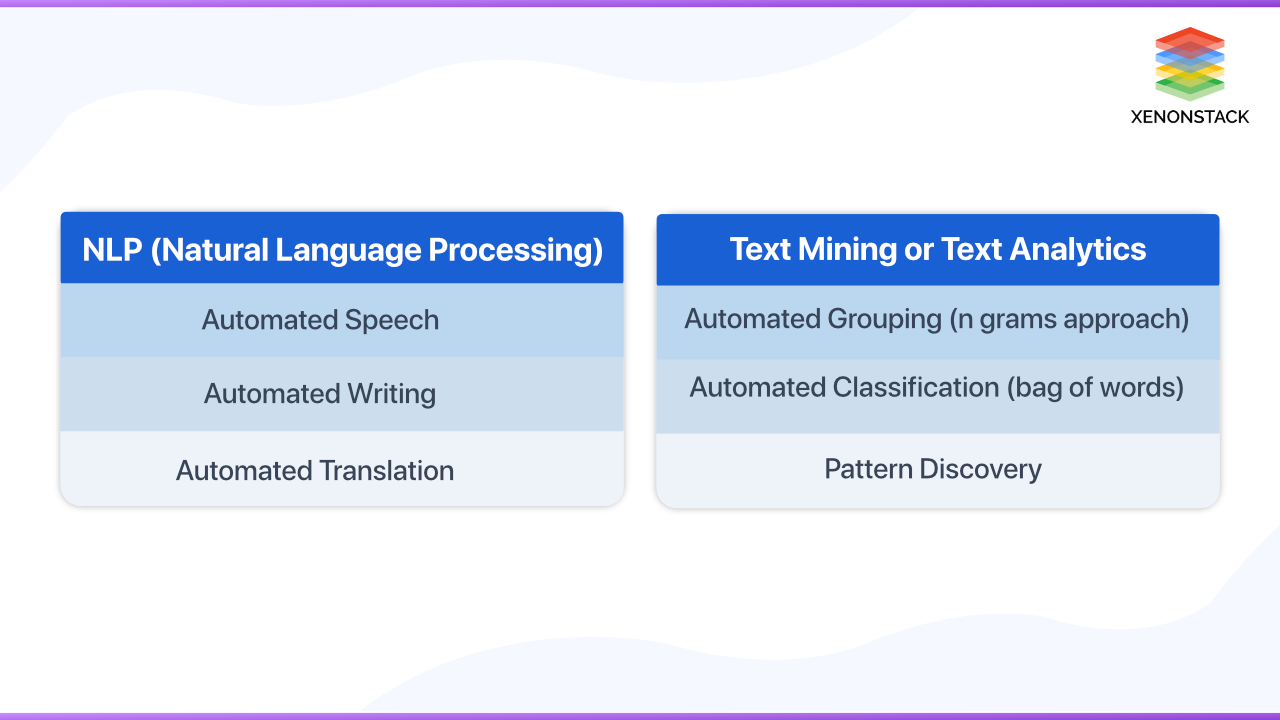
Text Processing in Natural Language Processing (NLP)
Text processing is a core part of natural language processing (NLP), the field of artificial intelligence focused on helping computers work with human language. Before a system can classify a review, search a document collection, or answer a question, it often needs to transform raw text into a form that can be analyzed. These steps can help reveal useful patterns, but they also affect what an NLP system can understand and how reliable its results will be.
What Is Text Processing?
Text processing refers to the methods used to clean, organize, and represent written language for computational analysis. The process may be simple, such as removing extra spaces, or more advanced, such as identifying names, dates, and relationships in a sentence.
Not every NLP project uses the same steps. The right approach depends on the task, the language, the source of the text, and the model being used. Modern language models, for example, often handle many linguistic patterns internally, while traditional machine-learning workflows may rely on more explicit preprocessing.
Common Text Processing Steps
Cleaning and normalization
Text collected from websites, forms, emails, or scanned documents may contain HTML tags, unusual spacing, encoding problems, or other noise. Cleaning removes or corrects unwanted elements. Normalization makes text more consistent—for example, standardizing quotation marks or converting text to lowercase when capitalization is not important.
Cleaning should be done carefully. Removing punctuation or capitalization can erase useful information. In the sentence “US researchers met with us,” capitalization distinguishes the country abbreviation from the pronoun.
Sentence splitting and tokenization
Sentence splitting divides a passage into sentences. Tokenization then breaks text into smaller units, such as words, punctuation marks, or subword pieces. These units are called tokens.
Tokenization is not always straightforward. A period can mark the end of a sentence, appear in an abbreviation, or be part of a web address. Languages also differ in how they separate words. A tokenizer must account for these details to produce useful results.
Stop-word handling
Stop words are common words—such as “the,” “and,” or “of”—that some systems remove because they may contribute little to a particular task. Removing them can be helpful for certain search or topic-analysis applications, but it is not always appropriate. Words like “not” can completely change a sentence’s meaning, so removing them could harm sentiment analysis or classification.
Stemming and lemmatization
Stemming reduces words to shortened forms, which may not be valid words. Lemmatization aims to identify a word’s dictionary form. For instance, “studies,” “studying,” and “studied” may be mapped to “study.” These techniques can help group related word forms, especially in traditional search and text-analysis systems.
Part-of-speech tagging and named-entity recognition
Part-of-speech tagging identifies how words function in a sentence, such as whether a word is a noun, verb, or adjective. Named-entity recognition (NER) identifies items such as people, organizations, locations, dates, and product names. These methods help turn unstructured text into information that can be searched, compared, or summarized.
Text representation
Computers need numerical representations to analyze language. Traditional approaches include bag-of-words and term frequency–inverse document frequency (TF-IDF), which represent documents based on the words they contain. More recent systems use embeddings: numerical vectors designed to capture aspects of a word’s or passage’s meaning and context.
How NLP Text Processing Is Used
- Search: Organizing queries and documents so relevant results are easier to find.
- Sentiment analysis: Estimating whether a review or comment expresses a positive, negative, or neutral opinion.
- Text classification: Sorting messages into categories, such as support requests, spam, or news topics.
- Information extraction: Finding key details, such as names, dates, prices, and locations.
- Summarization: Producing a shorter version of a document while preserving its main points.
- Translation and question answering: Processing language to help systems translate content or respond to queries.
Challenges and Considerations
Human language is full of ambiguity. The meaning of a word can depend on context, and expressions such as sarcasm, idioms, and slang can be difficult for software to interpret. Text may also contain spelling errors, abbreviations, mixed languages, or specialized vocabulary.
Data quality and representation matter, too. A system trained on limited or unbalanced examples may perform poorly for some communities, writing styles, or subject areas. Privacy is another important concern: text can include personal or confidential information, so it should be collected and handled responsibly.
Best Practices
- Choose processing steps based on the task rather than applying every technique by default.
- Preserve meaningful details, including negation, punctuation, and capitalization when relevant.
- Test the workflow on real examples, including unusual cases and different writing styles.
- Use language-aware tools when working with multiple languages or dialects.
- Evaluate results with appropriate metrics and review errors, not just overall scores.
- Protect sensitive text and document how data is collected, processed, and stored.
Conclusion
Text processing helps NLP systems turn raw language into information they can analyze. From basic cleanup to tokenization, entity recognition, and numerical representation, each step can influence the system’s performance. A thoughtful approach—one that fits the task and preserves important context—can make text-based applications more useful, accurate, and responsible.
6 Essential Tips for Better Text Preprocessing in NLP
- Normalize text consistently before analysis.
- Remove noise without losing useful context.
- Tokenize with your language and task in mind.
- Handle spelling variants and Unicode carefully.
- Use representative data to test preprocessing.
- Keep raw text for debugging and audits.
Normalize text consistently before analysis.
Normalize text consistently before analysis so that equivalent words and patterns are treated the same way. Depending on your task, this may include standardizing capitalization, spacing, Unicode characters, or common abbreviations. Apply the same rules to all data, including training examples and new input, and avoid transformations that could remove meaningful details such as punctuation, accents, or capitalization. Consistent normalization can reduce noise and improve NLP results, while preserving context helps prevent changes in meaning.
Remove noise without losing useful context.
When preparing text for NLP, remove noise such as duplicate spaces, broken formatting, irrelevant markup, or corrupted characters—but preserve details that may affect meaning. Punctuation, capitalization, emojis, and words like “not” can provide important context for tasks such as sentiment analysis, search, and classification. Review sample outputs after cleaning, and tailor each step to the goal so the text becomes easier to analyze without losing information the model needs.
Tokenize with your language and task in mind.
Tokenize with your language and task in mind, because the best way to split text depends on how that language is written and what you want your NLP system to do. A simple word-based tokenizer may work well for English, but languages that do not use spaces between words may need specialized segmentation. For tasks like sentiment analysis, keep punctuation and emojis if they carry meaning; for search, breaking words into subword units may help match variations and misspellings. Test your tokenizer on real examples to make sure it preserves the information your application needs.
Handle spelling variants and Unicode carefully.
Handle spelling variants and Unicode carefully when preparing text for NLP. The same word may appear in different regional spellings, with or without accents, or in forms that use different Unicode characters, such as straight and curly apostrophes. Normalize text consistently when appropriate, but avoid stripping accents or changing characters if those details affect meaning, names, or language identification. A thoughtful approach helps prevent duplicate terms and missed matches while preserving the information your NLP task needs.
Use representative data to test preprocessing.
Use representative data to test preprocessing before applying it to a full NLP project. Include examples that reflect the language, writing styles, formats, and edge cases your system will encounter, such as abbreviations, misspellings, punctuation, and multilingual text. This helps reveal whether steps like lowercasing, removing stop words, or normalizing characters are discarding important information. Review the processed examples and adjust the workflow so it supports your task without losing meaningful context.
Keep raw text for debugging and audits.
Keep a copy of the original, unprocessed text alongside any cleaned or transformed version. Raw text makes it easier to debug NLP pipelines, trace unexpected results back to their source, and compare how different preprocessing steps affect an outcome. It also supports audits by providing a clear record of what the system received, which can be especially important for investigating errors or meeting documentation requirements. Store raw text securely, limit access when it contains sensitive information, and follow applicable privacy and retention policies.
